
As part of an ongoing effort to standardize terminology across the Nextail platform, Calendar Plans have been renamed to Picking Schedules. This update introduces a more structured management experience, clearer terminology, and new tools to help you manage store-level picking operations more efficiently. All changes are reflected throughout the product interface.
New Picking Schedules Overview Page
A new primary page now centralizes all your Picking Schedules in one place. From this page you can:
- View all schedules with their associated stores, picking days, and picking groups
- Create, rename, and delete schedules
- Navigate directly to store-level picking management for any schedule
- Download schedule data
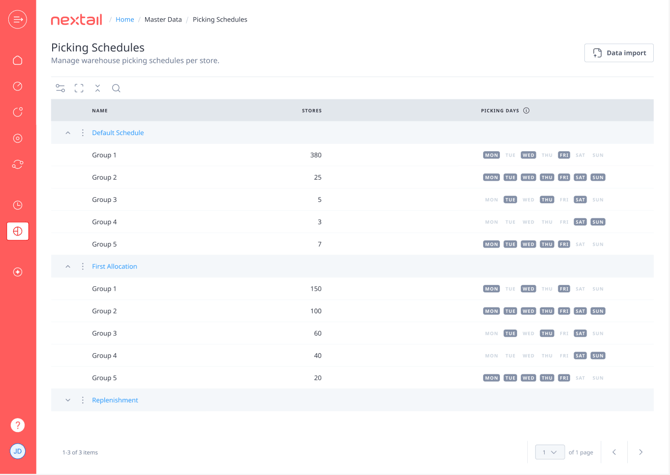
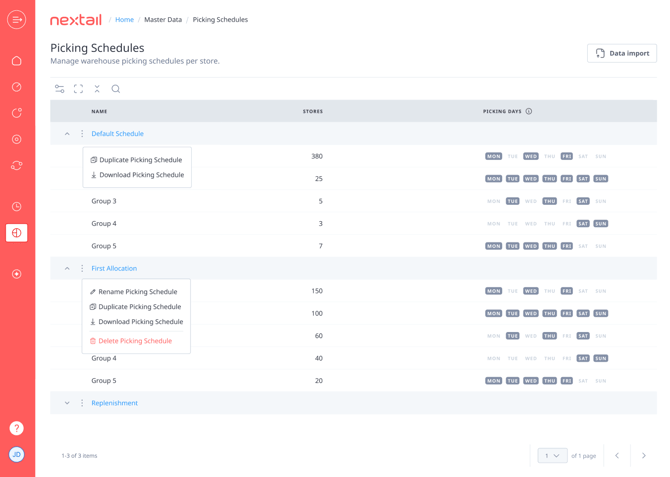
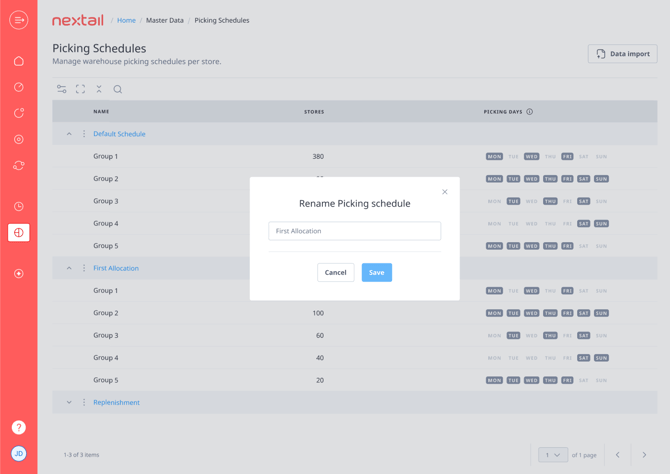
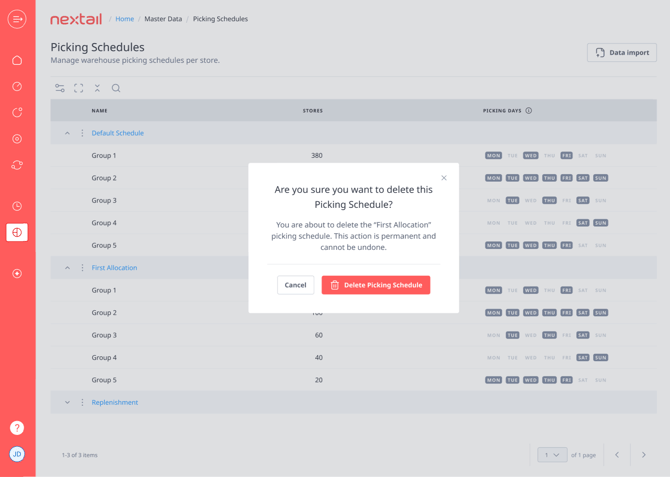
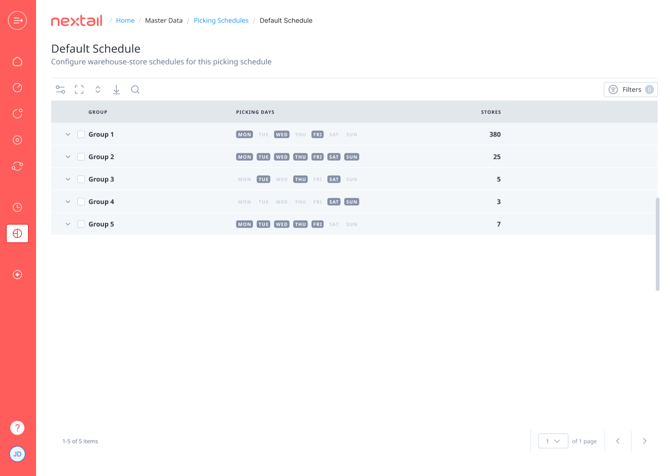
Default Picking Schedule
Note: The default Picking Schedule cannot be renamed or deleted.
Refreshed Store-Level Management
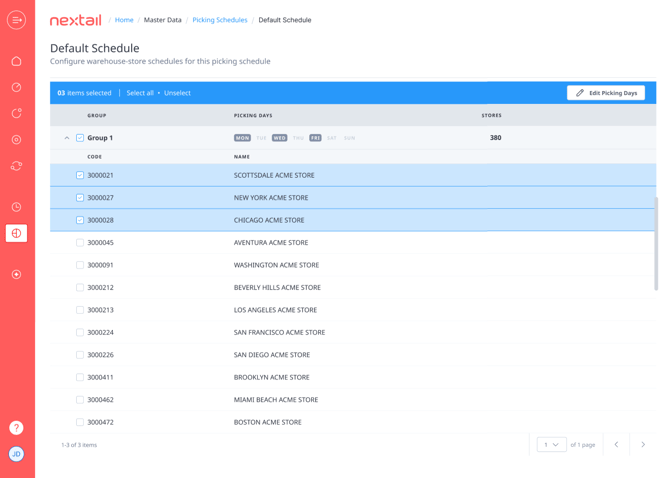
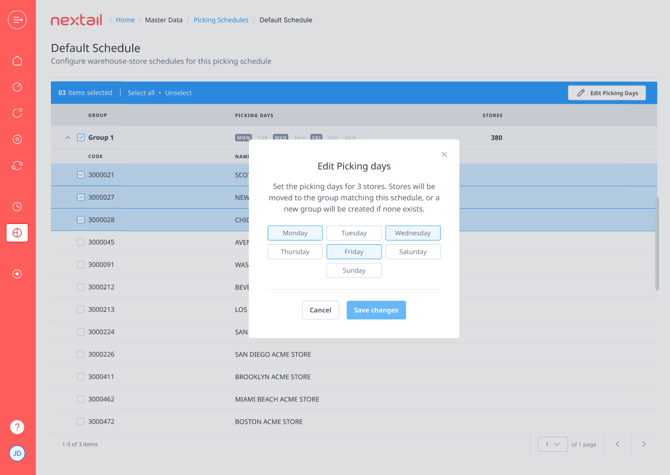
The store-level picking management experience is still available as a secondary page, now with a refreshed UI/UX. You can manage individual stores or make bulk updates directly within the workflow.
On-Site Bulk Data Import (coming soon)
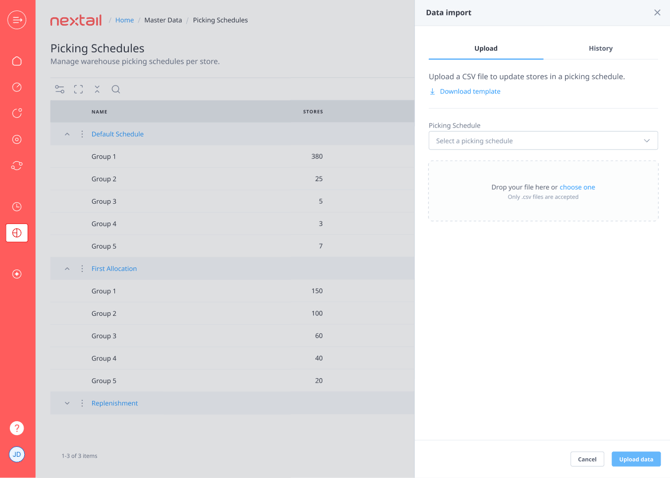
Bulk updates to store picking data can now be performed directly within the Picking Schedules workflow, without leaving the page:
- Import CSV files using drag-and-drop — no need to navigate to a separate upload tool
- Imports are processed within seconds
- The store name field is no longer required in the upload template
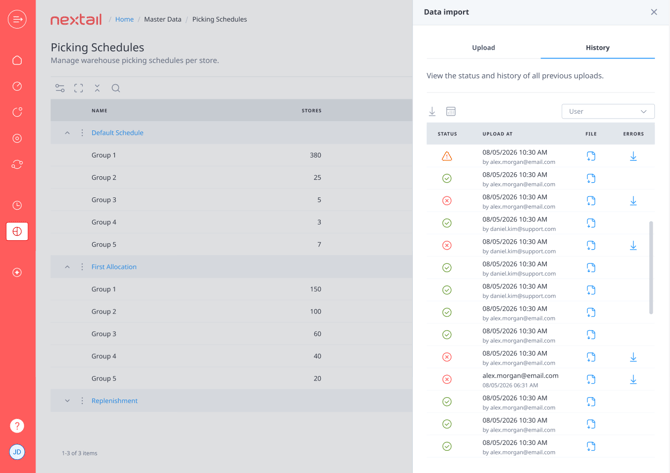
- File name and upload timestamp
- Execution status
- Any errors encountered
- The user who performed the upload
Import History (coming soon)
A new Import History section is now available within the workflow, giving you full visibility into your bulk data imports. For each import you can see:
Note: The available history period may vary depending on your product plan.
Data Upload
Until On-screen Data Import becomes available you will still be able to use regular Data Upload page for updating/changing picking schedules.
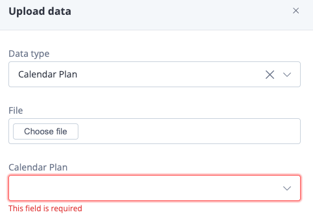
In order to upload the file please select Calendar Plan data type and calendar plan (picking schedule) you are wishing to edit, attach the file and click "Upload data":
Need Help?
If you have any questions about Picking Schedules or need assistance with your configuration, please contact your Nextail account manager or customerexperience@nextail.co.
